
Is Your Manuscript Ready for Formatting? A Handoff Checklist

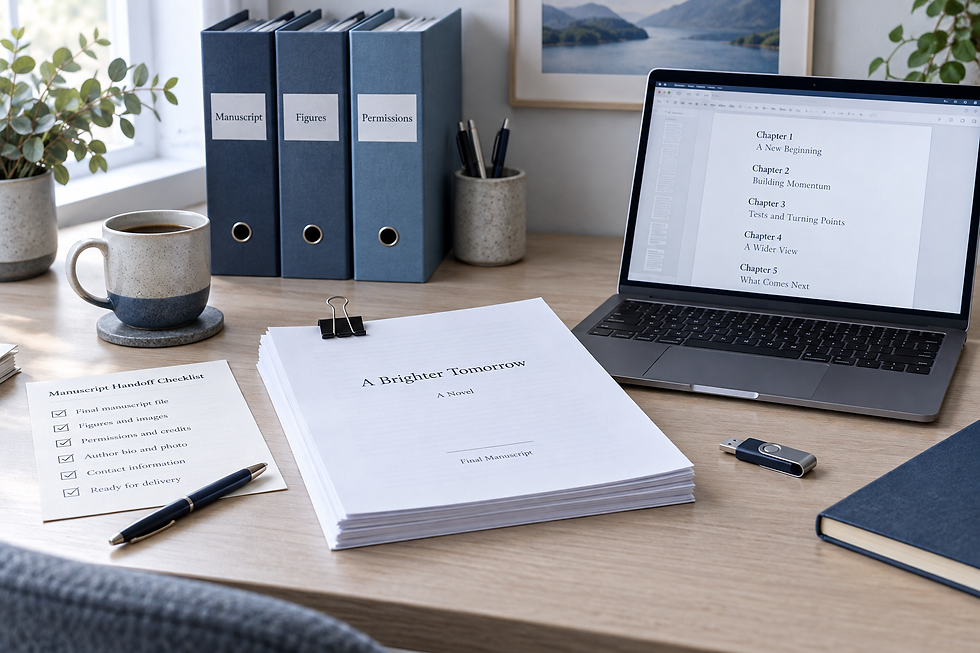
A manuscript is ready for formatting when the text is stable and the production decisions are clear. Your formatter needs one approved manuscript, an organized set of supporting assets and a written brief describing the editions you want. A document that looks attractive on your screen can still be difficult to turn into reliable print and ebook files.
Use this checklist before handing your book to a designer. It focuses on preparation, not a universal set of margin measurements: the correct production specifications depend on your printer, book format and selected trim size.
1. Confirm that the text is actually approved
Finish substantive editing before layout. A later change to one word is different from replacing a chapter: larger changes can alter pagination, contents entries and the cover’s required spine width.
Review tracked changes and comments deliberately. Accept or reject the changes you intend to resolve, and retain an archival copy of the editorial version. Do not simply hide revision marks and assume the underlying questions are settled.
If a section is still awaiting approval, tell the formatter before work begins. Agree whether the project should wait or whether provisional work is appropriate and what rework would cost. Read our editing-level guide if you are unsure whether the content is ready.
2. Separate structure from appearance
Use consistent headings to show the hierarchy of chapters and subsections. Identify body text, quotations, lists, captions and notes clearly. You are communicating what each element is, not attempting to imitate the final design with repeated spaces.
KDP’s ebook manuscript guide recommends styles and explains that tab spacing and unnecessary hard returns can cause conversion problems. It also distinguishes reflowable ebook behavior from fixed print pages. Treat those instructions as platform guidance, not a requirement that every book use the same design.
Original cleanup example: a heading pushed onto the next page with twelve empty paragraphs should be marked as a chapter heading with an intentional break. A list typed as a run of spaces should be identified as a list. Tell the formatter about deliberate exceptions, such as a poem whose line breaks carry meaning.
3. Supply the whole book, not just the chapters
Make a front- and back-matter checklist for your particular title. Possible items include title and copyright pages, dedication, acknowledgments, contents, notes, bibliography and author biography. Not every book needs every item.
Confirm title, subtitle and author name across the manuscript, cover brief and publishing metadata. Leave a clearly explained placeholder for information genuinely awaiting confirmation; do not insert an invented ISBN or silently treat placeholder text as final.
If you need an index, discuss the workflow and whether index preparation is included. An index containing print page references depends on stable pagination and should not be treated as an ordinary early manuscript page.
4. Organize images, captions and special elements
Provide original image files separately when requested, not only small copies pasted into a document. Create an asset list with a filename, intended position, caption, credit and any permission conditions. Ask the formatter to assess suitability at the intended printed size.
Example asset entry: “Figure 03 — garden-map.png — after the second paragraph of chapter four — caption approved — permission record in Permissions folder — must remain legible in grayscale.” This is an invented production note, not a real client asset.
Flag tables, equations, callout boxes, footnotes and cross-references before the quote is finalized. A simple paragraph-count description can hide a complex layout. If your ebook will reflow, discuss how complex visual elements will work on a small screen and at larger text sizes.
5. Decide which editions you need
Print: identify the intended platform, binding, trim size, ink and paper options, and whether artwork reaches the page edge.
Ebook: explain the intended distribution platform and whether the content suits reflowable or fixed-layout treatment.
Deliverables: agree the final file types, included revisions and whether editable source files are part of the handoff.
Review: identify who approves the layout and whether proofreading of final files is separately arranged.
Do not assume that a print PDF is an ebook edition. The two outputs can need different navigation and layout decisions. Consult your selected platform’s current requirements before production starts.
A simple handoff folder
Try a folder structure such as Manuscript, Images, Permissions and Brief. Use descriptive version names—BookTitle_Text_Approved_2026-10-08.docx is clearer than final-final-new.docx. This naming example is illustrative; choose a convention your team can follow.
Keep an untouched source backup. Name one file as the active master and one person as the decision contact. If you send a replacement, state exactly which previous file it supersedes and summarize the changes.
Copyable delivery note
“Please use BookTitle_Text_Approved as the manuscript master. The text has completed our agreed editorial review. We need a paperback PDF and a reflowable EPUB. The trim and print options are listed in the brief. Six figures are supplied separately with captions and permission notes. Please flag any unsuitable assets before layout. I will return one consolidated correction list after reviewing the proof.”
Adapt this note to the actual project. Only say editing, permissions or approvals are complete when they are. A clear note exposes missing decisions early rather than making the designer discover them halfway through production.
Is your manuscript ready for formatting?
You are ready to request layout when the master text, assets, edition choices and approval process are identified. Pause if chapters are still changing, essential images are missing or you have not decided whether the deliverable is print, ebook or both.
Compare Publishing Spot’s formatting packages and confirm the scope for your manuscript. For complex layouts or unresolved production choices, book a free consultation before ordering.
Checklist and handoff examples are original planning aids. Platform guidance reviewed October 7, 2026.


Comments